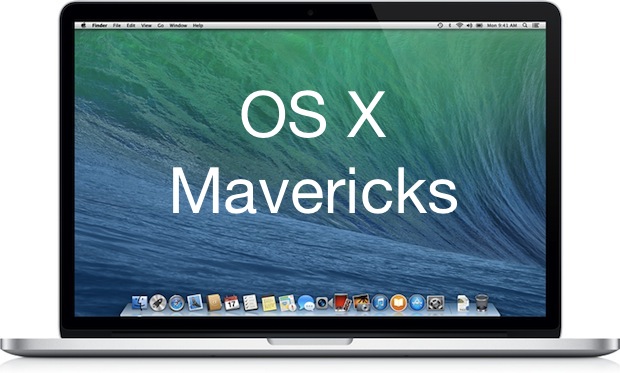
OS X 10.9 Mavericks Developer Preview 1 is now available to download directly from Apple. Registered developers can access the installation from Apple’s Developer Center. Much like prior OS X betas, installation of OS X Mavericks is done through the Mac App Store, and it is highly recommended to back up OS X with Time Machine before beginning installation of any beta operating system.
It appears that most Macs capable of running OS X 10.8 are to be eligible to run 10.9, though many of the iOS-to-OS X features will rely on iOS 7 or newer. To test those cross platform features, developers registered with Apple will also find iOS 7 beta 1 is available as well.
OS X 10.9 includes over 200 new features and enhancements, including Maps, iBooks, a revised Notification center with shared alerts from iOS devices, an all new Safari, an iCloud password keychain, tabs and tags in the Finder, multi-display support with full screen mode, and a wide variety of other improvements under the hood. Much of the refinements in OS X 10.9 are aimed at improving performance of Macs, including extending the battery life of portable devices.
OS X Mavericks is scheduled for a public release this fall.
Apple’s new, ultra-thin 21.5-inch iMac is on sale now and an early teardown reveals a space-serving internal design to make up for those 5mm edges
Image courtesy of http://www.kodawarisan.com
Apple blog Kodawarisan has shared some photos of an early tear down of Apple’s new 21.5-inch iMac. The site itself is down right now, but it’s cached along with a handful of photos thanks to Google’s translation service. The images reveal a completely different internal setup to some of the older models out there, which appear to take up a lot less room inside the iMac’s thinner shell.
Image courtesy of http://www.kodawarisan.com
The post doesn’t reveal any specifications of the parts used inside the new iMac, but there’s a clear shot of an Intel i5 processor as well as an Nvidea graphics chip. For anyone who’s dying to know exactly what’s inside, we’re expecting a full and detailed teardown from our friends over at zasupport.com.
jOBS will premiere as the closing film of 2013′s Sundance Film Festival on 27th January 2013
jOBS, the low-budget Steve Jobs biopic directed by Joshua Michael Stern, will premiere at the 2013 Sundance Film Festival. Announced on the Sundance Film Festival blog, the film will take the prestigious closing night spot on 27th January.
The film itself, which was originally called Steve Jobs: Get Inspired but has sinced changed to jOBS, is one of the two biopics based on the life of the late Apple CEO. Although the major, Sony-backed production seems to be taking a lot longer (with writer Aaron Sorkin revealing details about the film not so long ago), jOBS has pushed ahead, with filming taking place in the legendary garage that saw the founding of Apple in its early days.
The film itself stars Ashton Kutcher, who makes a scarily convincing Steve Jobs, as well as Josh Gad (playing Steve Wozniak) and Matthew Modine (John Sculley) and will focus on the founding and first 30 years of Apple. It’s not yet clear how or when the film will be released after its premiere in Jan
The new television set that Apple is working on in Cupertino is just the latest step in their plans to take over your home…
Over the last few weeks there seems to have been a huge increase in the number of rumors about Apple making a TV set of its own. Several sources claim the company plans to create a TV for release in the next year or two, and when this many people seem to have the same information about a product, it seriously increases the likelihood that it’s correct.
This got us thinking. Of course, with the Mac, iPhone, Apple TV and most recently the iPad, Apple has been slowly edging their way further into our day-to-day lives. For some people, it’s now common to step into their home and use Apple devices for a full evening, watching movies, doing work, talking to friends, playing games and even reading.
iOS X: Will iOS and OS X merge in the next few years?
What if Apple’s TV set (which we will henceforth be referring to as iTV to distinguish it from Apple TV) is just the next step in their plan for your life to be completely locked into their own products? Considering Apple TV runs iOS, the same operating system as iPhone and iPad, it’s fair to assume that the iTV would also use this system. And with many suggesting that Mac’s OS X and iOS will be merging into one system in the future, it’s possible that all your gadgets will be running the same system, communicating wirelessly, and working as one large device.
Of course, if this is the plan, there’s no reason that it couldn’t cover your whole house. Imagine stepping into your home and have Siri welcome you back. An iPhone and iPad app would turn the devices into controls for things like the lighting system or iTV, or you’d have the option to speak to Siri to get things done. Your iTV would not only receive HD content from iTunes, it’s specially-designed interface would enable you to quickly choose between watching live TV channels or playing the shows you’ve previously recorded to your Mac’s hard drive. Of course, if you wish, you can also use iTV to play games; with it’s dedicated graphics card, the iTV would let you play HD titles in full 1080p, controlling it with your iPad or iPhone, or even your mouse if you wanted. The iTV would be the epicentre of your entertainment experience, and everything you needed would be built into the mouth-watering hardware.
Is this the Future?: The iPad and iPhone will likely act as a TV guide and remote control, all in one app
Of course, if you’re not in front of the iTV, you still have access to all your media, as well as other services. In the kitchen, for example, your surface would contain a large, tough touchscreen, that would allow you to look up recipes, write shopping lists and check what you have in your cupboards and fridge. In your bedroom the large picture frame on the wall would be a screen that cycles through the latest pictures that you added to your holiday album, and when you want it to, switches to the iTV function to let you catch up on your favourite shows in bed.
On the Surface: This 'iDesk' illustration from Adam Benton was posted at Mac|Life - could it be the future?
All of these features may still be science fiction, but this is surely the direction that technology is moving. Just over ten years ago, Apple really only made one kind of device – the Mac. It sat on a desk in your office and was used for work and, perhaps, getting creative, and the rest of the time it would be left alone. Now, millions of people carry around an Apple device in their pockets all day, get home and play games and read books on the iPad, and use Apple TV to watch the latest movies. Apple is slowly making its way more and more into our lives, and making it even easier to do the things we love. In the next few years, with the advances in technology that will surely be made, just think where we could be, and what we might be able to achieve with our Apple products. It may be a bit of a leap to say that you will be able to control your entire house with your voice, like Tony Stark, but if Siri makes its way into more than just the iPhone 4S in the next few years, just remember – we called it.
Below is just a glimpse at what your home might look like in the future. Click the image for a larger view:
This weekend my MacBook and iMac stood up to a solid series of creative and entertainment-related tasks that further confirmed my belief that Apple makes the best computers and software regardless of whether you’re a consumer or business user. Almost every aspect of my weekend involved Mac OS X somewhere along the line…
Saturday Morning – While my iMac happily ripped a DVD in the study I worked on a Keynote presentation on my MacBook along with breakfast and some freshly downloaded iTunes tracks streamed to my living room sound system via AirTunes.
Saturday Lunch – Keynote presentation complete I exported the document out and into Microsoft Powerpoint (not through choice) and fired up Parallels to check Windows compatibility (horrible, I know!). All was fine, saved and uploaded to my iDisk ready for Monday morning.
Saturday Afternoon – GarageBand came into play with two recordings of acoustic songs ready for my upcoming iWeb site. Exported to iTunes and previewed them through my surround sound system. Not bad. Designed the music page for new iWeb site and dropped in the new MP3s.
Saturday Evening – Friends arrive for drinks, MacBook attached to TV and stereo provides musical backing via Front Row. Discussion of last summer leads to a viewing of an iMovie project I put together a year ago. Streamed from iMac to TV via MacBook.
Off to a birthday party, digital compact in hand. Drinks and an early hours finish.
Sunday Morning (mid-morning) – Struggle out of bed, coffee and paracetamol. Copy last night’s photos into iPhoto. Use Facebook Exporter for iPhoto to tag and upload images. Entertaining comments begin to filter into my inbox.
Sunday Lunch – Another birthday today, taking a friend out for lunch. Meet in town, iPhone provides contact number for seafood restaurant as well as directions.
Decide what I want to eat via online menu en route to restaurant.
Sunday Evening – Tired. Settle on sofa, MacBook in position attached to the TV. Watch ripped DVD through Front Row and sleep like a baby. iPhone set to wake me up for work on Monday with reminder to post new blog entry…
Apple has taken a lot of time over the Photos app on the iPad.We know this because it’s a completely different app to the one that appears on the iPhone, even though they both share the same operating system.
One of the things that sets this new Photos app apart is its ability to show incredible picture slideshows. A large part of this is, of course, down to the larger screen with greater resolution, but another is the way the interface is so easy to use and set up, so you’ll really enjoy creating and watching them with friends. One of the fantastic benefits of the processing power tucked away in the iPad is the ability to do the same things you can do on a desktop computer, and creating a slideshow is definitely one of these. Once you’ve learned how to create a slideshow we’re confident you’ll be so impressed that you’ll be making them all the time. The real shame is that, unlike a real Mac using iPhoto, you can’t save the results and share them with others; you can merely marvel at each individual slideshow as it plays out. Maybe we’ll see a change to this in an update to the iPhone OS. For now, though, just enjoy the brilliance of these slideshows, sit back, turn the music up and make sure all your friends and family can see how cool the iPad really is.
WWDC will see a slimmer Retina MacBook Pro with an improved camera, as well as new MacBook Air microphones, according to KGI Securities analyst Ming-Chi Kuo
Apple will unveil a slimmer Retina MacBook Pro with a 1080p camera and an improved MacBook Air at this year’s WWDC.
The claim, from KGI Securities analyst Ming-Chi Kuo, comes just one week before Apple’s annual conference for developers which is already confirmed to feature new iterations of iOS and OS X.
Elaborating, Kuo, who has been a reliable source of information in the past, said:
We expect the new MacBook, featuring an upgrade to Intel’s (US) Haswell processor, will be in the spotlight for Apple at the upcoming WWDC from June 10. Along with the new processor, we expect the following modifications to each product line:
Retina MacBook Pro to be slimmer slightly, along with a camera upgrade. We expect the 13” Retina MacBook Pro will have a slightly slimmer form factor for increasing its portability. Also, we think the camera spec will be upgraded from HD to full HD. This will improve FaceTime and video conference quality in the high resolution Retina display.
With Intel’s Haswell processors reported to be far easier on battery life, the notion that Apple could slim down the 13″ Retina MacBook Pro, possibly by slimming down the battery, certainly doesn’t seem too far-fetched.
Kuo also believes that the MacBook Air will see a minor improvement in the form of an improved set of microphones:
We forecast that this year’s new MacBook Air model will also have dual built-in microphones as a result of positive feedback on this feature in Retina MacBook Pro, which delivers clear voice quality on FaceTime and VoIP service.
We won’t know whether either of Kuo’s predictions will turn out to be true until next week (where we’ll be covering the entire opening keynote live), but we do know that Apple will debut iOS 7 and OS X 10.9 for the first time.
Exciting new digital-only magazine Brain Dump launches for iOS devices
Does your iPhone track your location constantly? Why would an iPad blow up in a microwave? Will the Internet ever fill up? What’s the capacity of the human brain in gigabytes?
These and many more questions like it will be answered in BrainDump, an exclusive magazine for iPad and iPhone from Imagine Publishing, which we have to say makes excellent use of Apple’s hardware.
Launched today, you can subscribe to this groundbreaking new publication on Apple’s Newsstand from only £0.69/$0.99 and feed your mind in much the same way iCreate feeds your creativity. What’s more it’s brought to you by the people behind the hugely popular How It Works magazine and former members of the iCreate team.
Brain Dump has been built using a brand new digital platform designed by the innovative team at 3 Sided Cube, responsible for apps such as Vision Test 2 and the Red Cross app. Each page of Brain Dump is self-contained, making it ideal for reading on smaller devices like the iPhone or iPad mini.
“Brain Dump aims to be as entertaining as it is educational, with breathtaking photography and incredible illustrations,” said Dave Harfield, Editor In Chief. “The editorial and design set a new standard for knowledge and science magazines on iPad and iPhone.”
The new digital publication will come with a free sample issue pre-installed on the app with subscriptions for the monthly magazine starting at only £0.69/$0.99 up to £3.99/$5.99 for a full year.
If you can’t tell already, we’re pretty excited about this new digital publication as it’s going to open up your device to a whole stream of cool info and knowledge. You can follow Brain Dump on Twitter@BrainDumpMag and on Facebook at facebook.com/BraindumpMag. And to celebrate the launch we’re giving away two bundles of iPad goodies so keep an eye on us @icreatemagazine on Twitter and/icreatemagazine on Facebook to get involved.
Download the Brain Dump app now: http://itunes.apple.com/gb/app/id649429083 Subscribe from only 69p/99c per month.